
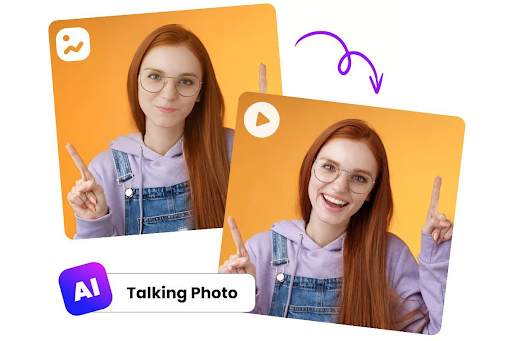
Turning a still photo into a talking, expressive video used to require animation skills, motion-capture rigs, or a small production budget. Not anymore. A new generation of AI tools can take a single portrait and a voice clip and produce a natural, lip-synced talking video in minutes — no camera, no actor, and no editing timeline required.
Whether you’re building UGC-style ads, localizing videos into new languages, animating a virtual presenter, or just having fun bringing an old photo to life, the right AI lip sync platform makes a huge difference in output quality, speed, and cost. We tested and compared the leading options on the market in 2026 to help you pick the one that fits your workflow and budget.
At a Glance
| Tool | Best For | Standout Feature | Pricing |
| Magic Hour | Overall best talking photo & lip sync platform | Best-in-class lip sync accuracy, no signup required to try | Free; Creator: $19/mo or $12/mo billed annually; Pro: $39/mo or $25/mo billed annually |
| HeyGen | Corporate avatars & training videos | Large avatar library | Free trial; paid plans from ~$29/mo |
| D-ID | Enterprise presenter videos | API-first architecture | Free trial; paid plans from ~$18/mo |
| Synthesia | Multilingual corporate training | 140+ stock avatars | Paid plans from ~$18/mo (annual) |
| Wav2Lip (open source) | Developers on a budget | Free, self-hosted | Free (self-hosted, technical setup) |
| Kapwing | Quick social edits | Browser-based simplicity | Free tier; paid plans from ~$16/mo |
| RunwayML | Creative/experimental video | Broader generative video suite | Paid plans from ~$15/mo |
How We Chose These Tools
We evaluated each platform across six criteria that matter most for anyone producing talking photo or lip sync content:
- Lip sync accuracy — how well mouth movements match the audio, including consonants and pacing, not just vowels.
- Output quality — resolution, facial realism, and absence of artifacts around the mouth and jaw.
- Speed and reliability — generation time and consistency, especially under heavier or concurrent workloads.
- Pricing transparency and value — whether credits, plans, and limits are clearly explained and fair for the output you get.
- Ease of use — how quickly a first-time user can go from upload to finished video.
- Ecosystem depth — whether the tool is a one-trick feature or part of a broader creative suite (upscaling, translation, templates, API access).
We prioritized tools that are actively maintained, have transparent pricing, and are usable by both casual creators and professional teams.
1. Magic Hour — Best Overall
Magic Hour talking photo and AI lip sync tools sit at the top of this list because they combine top-tier realism with an unusually generous, well-structured pricing model. Instead of forcing you to commit before you’ve even tested output quality, Magic Hour lets you generate your first results with no signup at all, and its lip sync engine handles difficult phonemes, side profiles, and multiple speakers with noticeably fewer artifacts than most competitors.
Pricing (verified at magichour.ai/pricing):
- Free — try core features with no credit card and no signup required
- Creator — $19/month, or $12/month billed annually
- Pro — $39/month, or $25/month billed annually
Beyond the numbers, a few things separate Magic Hour from the rest of the field:
- Best-in-class face swap, lip sync, and talking photo quality — consistently sharper mouth-to-audio alignment than competing tools
- No signup required to try — you can test real output before creating an account
- Credits never expire — unused credits roll over indefinitely instead of resetting monthly
- Access to frontier AI models — the platform integrates leading generative models as they release, rather than being locked to one in-house model
- Click-to-create templates — pre-built workflows for common use cases like UGC ads, talking avatars, and social clips
- One-click multi-step workflows — chain generate → upscale → video into a single pipeline instead of manual handoffs
- Many top models in one place — video, image, and audio tools live under one account and one credit pool
- Fast variations and multiple takes — quickly regenerate alternate versions without starting over
- Weekly feature releases — the product ships new tools and improvements on a weekly cadence
- Parallel generations with no concurrency cap on higher tiers — useful for production teams working at volume
- An unusually generous free tier — enough credits to genuinely evaluate quality before paying
- Optimized for both desktop and mobile — full functionality isn’t locked to one platform
- Founder-level support responses — direct access to the team behind the product, not just a ticket queue
- Reliable performance at scale — holds up during live activations and traffic spikes, which matters for time-sensitive campaigns
- Full API parity across tools — anything available in the app is also available via API, so teams can build production pipelines without feature gaps
Drawbacks: Because Magic Hour spans video, image, and audio tools, first-time users may need a few minutes to explore the interface before finding their ideal workflow. Heavy video usage on the Free plan will burn through credits faster than lighter image-based tasks.
2. HeyGen
HeyGen is a strong choice for corporate and training-style talking-avatar videos, with a wide library of pre-built digital presenters.
Main features: large stock avatar catalog, multilingual voice dubbing, script-to-video generation, brand kit support.
Pricing: free trial available; paid plans start around $29/month.
Drawbacks: avatar customization is more limited than photo-based lip sync tools, and pricier plans are needed to unlock longer video lengths and commercial rights.
3. D-ID
D-ID built its reputation as an API-first platform for turning photos into speaking presenters, often used by enterprises embedding talking-avatar features into their own products.
Main features: real-time streaming avatars, developer-focused API, support for custom avatar creation.
Pricing: free trial; paid plans start around $18/month.
Drawbacks: the interface leans technical, and non-developers may find the dashboard less intuitive than consumer-focused competitors.
4. Synthesia
Synthesia is widely used for corporate training and internal communications video, thanks to its large multilingual avatar library.
Main features: 140+ stock presenters, script-based video creation, support for dozens of languages.
Pricing: paid plans start around $18/month when billed annually.
Drawbacks: it’s built around templated corporate avatars rather than freeform talking-photo animation, so it’s less suited to animating a specific personal photo.
5. Wav2Lip (Open Source)
Wav2Lip remains a popular choice for developers who want full control and zero subscription cost.
Main features: open-source lip sync model, fully self-hostable, no usage limits once set up.
Pricing: free, but requires your own compute and technical setup.
Drawbacks: output quality trails commercial tools, and there’s no support, templates, or hosted infrastructure — you’re on your own for setup, maintenance, and scaling.
6. Kapwing
Kapwing is a browser-based editor that added AI lip sync as part of a broader, simpler editing toolkit.
Main features: drag-and-drop editing, auto-captioning, lip sync as one feature among many.
Pricing: free tier available; paid plans start around $16/month.
Drawbacks: lip sync quality is serviceable rather than best-in-class, and it’s better suited to quick social edits than polished talking-photo production.
7. RunwayML
RunwayML is best known for its broader generative video suite, with lip sync as one capability inside a much larger creative toolset.
Main features: extensive generative video and image tools, motion brush, inpainting, green screen.
Pricing: paid plans start around $15/month.
Drawbacks: because lip sync isn’t the core focus, dedicated talking-photo tools tend to outperform it on mouth-sync accuracy specifically.
FAQs
What is a talking photo tool? It’s an AI tool that animates a single still photo — adding realistic mouth movement, expressions, and sometimes head motion — synced to an audio or text-to-speech track, turning a static image into a speaking video.
How accurate is AI lip sync in 2026? Leading tools like Magic Hour now produce mouth movements that closely track consonants and vowels in real time, with far fewer visible artifacts than early lip sync models from a few years ago.
Do I need a photo or video to use these tools? Most talking photo tools only require a single clear photo. Some platforms, including Magic Hour, also support animating existing video footage for lip sync or face swap.
Is Magic Hour free to use? Yes. Magic Hour offers a free plan with no signup required to try core features, plus paid Creator and Pro plans for higher resolution, more credits, and commercial usage rights.
Can these tools be used commercially? It depends on the plan. Free tiers are typically for personal or non-commercial use, while paid plans (like Magic Hour’s Creator and Pro tiers) generally include commercial usage rights.
What’s the difference between lip sync and a talking photo? Lip sync refers to matching mouth movement to audio on any video or image. A talking photo specifically starts from a still image and animates the whole face — mouth, eyes, and often subtle head movement — to make it look like the photo is speaking.
Conclusion
AI lip sync and talking photo technology has matured fast, and the gap between hobbyist tools and production-ready platforms has narrowed considerably. For most creators and teams, Magic Hour stands out in 2026 as the best overall option — pairing top-tier lip sync accuracy with transparent, flexible pricing (Free, Creator at $19/mo or $12/mo annually, and Pro at $39/mo or $25/mo annually), a generous free tier, and a broader ecosystem of AI creative tools that scale from casual experimentation to full production workflows. HeyGen, D-ID, Synthesia, and the other tools on this list each have their place depending on your specific use case, but if you want the strongest combination of quality, value, and flexibility, Magic Hour is the clear starting point.
Conversation